I am attempting to get an object in a 3D world (namely, a missile/bullet) to select a target and move torwards it.
Quick note: I'm working in degrees here.
For movement along the X and Z axis (Y is the up axis), I get the yaw that the object would have to face to move torwards the target (using java's atan2() method. I've no idea what this is in real-world maths, only that it works correctly). I then use the sine and the cosine of that angle to move it torwards the target.
This works correctly. The problem is when I get to the Y axis.
I then get the arc tangent of the object's Y minus the target's Y, and then move the object by the sine of the arc tangent. However, there's a few problems with this:
- If the bullet is below/above the target, but near it on the X/Z axis, the bullet appears to "follow" the target, at the same position relative to it when moving, but not going upwards or downwards.
- The bullet doesn't slow down on the
X/Zaxis when going up/down. This can cause unfairness in the game (E.g. boost abilities designed to outrun bullets suddenly can't). - The bullets can sometimes go completely the wrong way (e.g. upwards if the target is below them).
Here's a quick GIF of what I'm talking about:
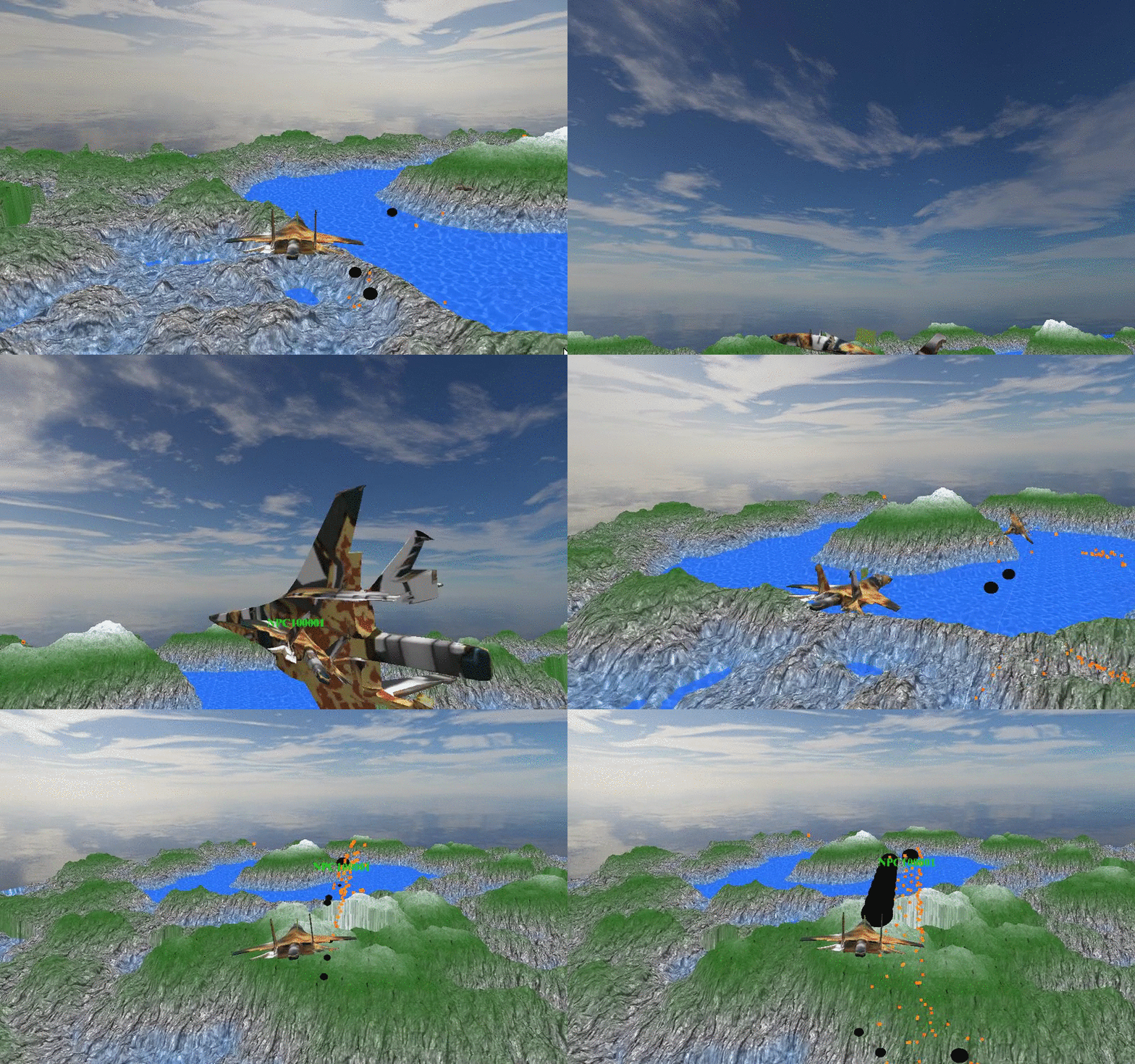
If you look at the enemy who is targeting me, his bullets (the black things) are flying below me, even though as his target they should be coming directly at me.
In the end, I am looking for a solution that moves my bullets/missiles directly torwards it's target, no matter where it is, or what axis it's on, etc.
For those java geeks out there's here's the code:
double ang = Math.toDegrees(Math.atan2(((vec1.z) - vec2.z), ((vec1.x) - vec2.x)));
    double angY = Math.toDegrees(Math.atan(Math.toRadians((vec1.y) - vec2.y)));
     sin = Math.sin(ang);
     cos = Math.cos(ang);
     sinp = Math.sin(angY);

    location.x+=cos * 10;
    location.y+=sinp * 10;
    location.z+=sin * 10;
I'm a programmer and not a mathematician, so I will probably need a slightly simplified or more explained reply.

Simpler to skip the angles and use the vector directly:
(I don't know java, so don't know what the vector magnitude function is called; if there isn't one, use sqrt(dot(rawdiff,rawdiff)).)