I found this picture on mathoverflow, which I find very intriguing and so I like to know how to draw such an image with a simple computer program.
To calculate the rational point, I can draw a line from P_0(0,0,1) and P_1(u,v,0) and calculate the intersection with the sphere as follows:
\begin{equation} x=\frac{2u}{u^2+v^2+1};y=\frac{2v}{u^2+v^2+1};z=\frac{u^2+v^2-1}{u^2+v^2+1} \end{equation}
So the intersection coordinates are rational numbers where
\begin{equation} a=2u;b=2v;c=u^2+v^2-1;d=u^2+v^2+1 \end{equation}
with
\begin{equation} a^2+b^2+c^2=d^2 \end{equation}
If I understand correctly the guy who posted the picture he would mark the points depending on the value of d. So a value of d below a certain threshold would override the pixel color to white.
Now inside a program we would loop through all pixels along the x and y axis using the following algorithm:
for(int y = 0; y < height; ++y)
{
    for(int x = 0; x < width; ++x)
    {
        // does pixel ray intersect with sphere?
        // using orthgraphic projection ( all rays are parallel ) of
        // sphere with radius of image height
        if(intersect(sphere,x,y))
        {
            // calculate the distance of the intersection of
            // pixel ray and sphere
            double z = calc_distance(sphere,x,y);

            // the further away the darker the color
            rgb_color color = make_color(z);

            // calculate d
            // the gcd of a,b,c,d will be used to make d as small as possible
            int d = calculate_denominator(x,y)

            // 100 is made up
            if(d < 100)
            {
                color = white;
            }

            set_pixel(img,x,y,color);
        }
    }
}
Could someone help in correcting my algorithm?

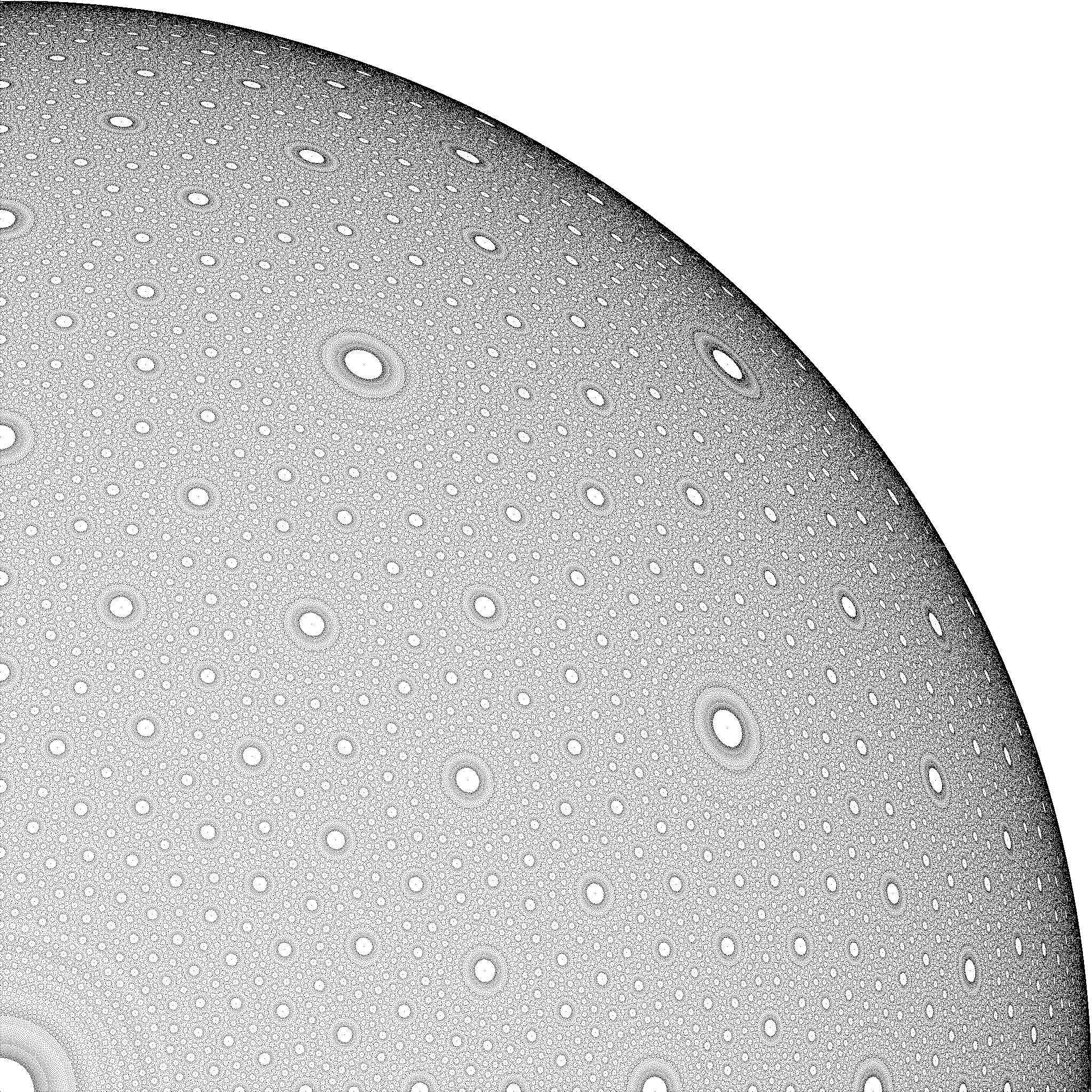
I'd iterate over $u$ and $v$ instead, since the point which actually has easy rational coordinates is not exactly at a pixel position.
or, if you want to stay in integer arithmetic:
In both cases, I'm ommitting the third coordinate since we are projecting onto a coordinate plane.
The picture still doesn't look like the one you indicated, though. That's likely because you'd have to consider fractional $u,v$ as well. You might be better off using Pythagorean quadruples instead. Then you can use nested loops there.
However, instead of marking pixels either black or white, you might also consider marking them with a suitable gray level, with the gray value depending on the number of rational points within a given pixel. If you do that, then you want to make sure that you mark every rational point exactly once. I did so in the code used for the animation below, building on this paper.